Match Lyric Video Control Labels to Accessible Names
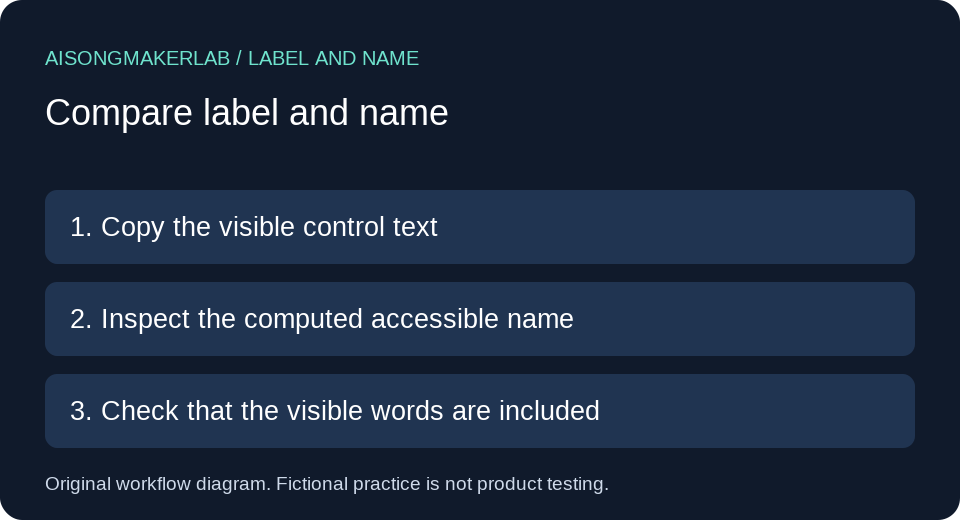
Give each text-labeled lyric video control an accessible name containing the words the viewer can see. Prefer placing those visible words first, and repeat the comparison when the label changes. A button reading Play should not require someone using speech input to guess a hidden name such as Start audio. Inspect the computed name, not only an HTML attribute.
When choosing the best AI music generator for a lyric-video workflow, include the player used to share the result in your review. This guide supplies an original naming worksheet and five fictional design exercises. It does not rank generators, report product testing, or establish that any particular speech tool will recognize a command.
Start with a small handoff record
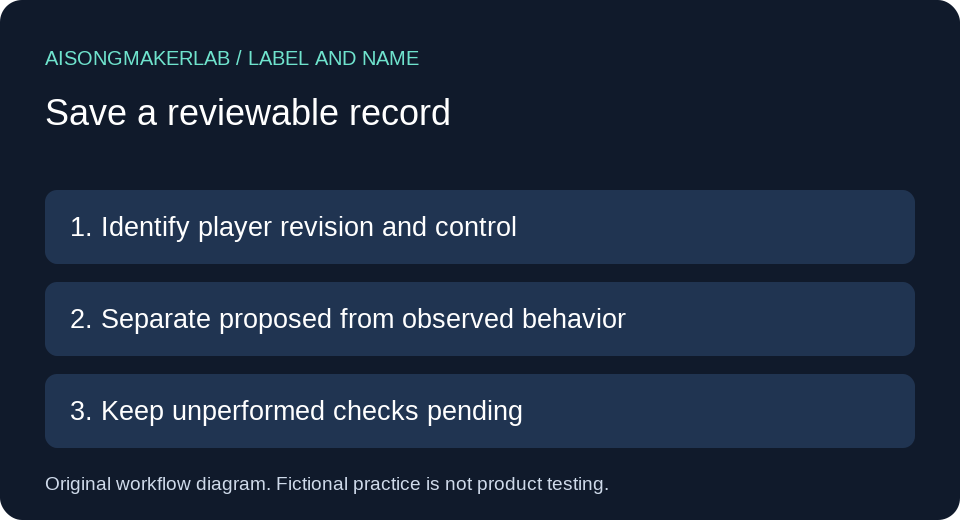
Save the page URL, player revision, control, current state, exact visible text and computed accessible name. Put a proposed replacement in a separate column. An intended name is not evidence of the name exposed by a deployed player. Keep speech-operation observations separate from the text comparison.
W3C's Label in Name explanation says that names for controls with visible text labels contain that text; putting it first is a best practice. It also distinguishes controls without visible text labels. This is one focused review, not a complete accessibility evaluation.
A practical comparison sequence
- Open the exact player revision that will be shared and list its text-labeled controls.
- Copy the visible words in each relevant state, including expanded menus and changed playback states.
- Inspect the computed accessible name in the browser's accessibility information. Do not infer it from one attribute alone.
- Compare the visible words with the name. Propose a concise revision where they diverge, preserving useful context.
- Recheck the deployed change, then separately record any actual speech-operation check with the tool and environment used.
Five self-authored fictional cases
All five cases below are self-authored fictional practice scenarios. The names, player states, proposed repairs and expected outcomes are invented to explain a workflow. They are not generated vendor results, authentic user quotations, measured failures or completed tests. Every observation field remains pending until someone performs a real check.
1. Mira's Play button has a hidden alternative
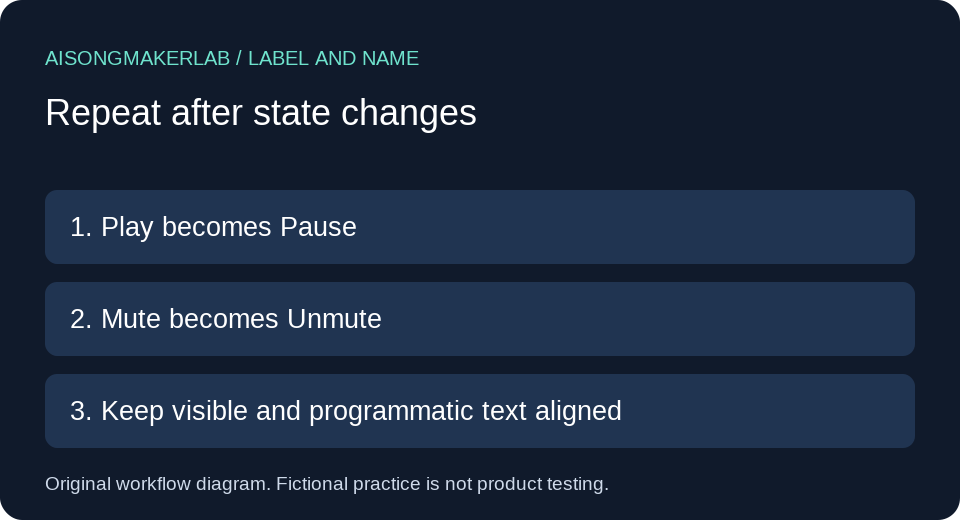
Mira's fictional rehearsal player displays Play but its proposed accessible name is Start audio. Her worksheet copies Play into the visible-text field and Start audio into a field labeled fictional starting name. She proposes Play rehearsal instead. This retains the word a viewer sees and adds the purpose after it. She does not change the visible label to a long technical phrase merely to match an accidental hidden name.
The handoff asks the implementer to inspect the computed name after deployment. If the native button's text already supplies Play, adding a redundant naming attribute may be unnecessary. If extra context is required, the team should check how that context becomes part of the actual name. Mira records the intended action as starting the current rehearsal, with no claim that a voice command succeeded. The real name, browser, speech tool and activation outcome are pending. Acceptance for this exercise is a documented label/name pair, followed by a separate check that the intended control operates.
2. Theo's Captions button needs track context
Theo's fictional player has a Captions button beside a language selector. A designer proposes Show synchronized words in English as its name. Theo keeps the visible Captions wording and proposes Captions, English track instead. His review distinguishes the button that opens caption options from a menu item that selects a language. Otherwise, a clear name on the wrong control could still leave a confusing workflow.
The case worksheet has separate rows for the closed button and each text-labeled menu item. Theo records the currently selected language as state information rather than assuming that all controls should share one long name. If the visible button later reads Captions off, that new text needs its own comparison. He asks for a check on the actual expanded menu and records which item received the command. No menu behavior has been observed here. A proposed name is a design suggestion, and the fictional track choice says nothing about a vendor's caption-language support or translation accuracy.
3. Ada's Mute button changes after activation
Ada's fictional preview begins with a visible Mute button. After activation the design changes that text to Unmute, but an old naming value might remain Mute. Her worksheet therefore uses two rows: sound available with Mute, and sound muted with Unmute. She proposes names matching each visible action and asks the implementer to update both representations together. She avoids treating a check of the initial screen as evidence for the later state.
Ada also records the intended effect of the action separately from its name. A name matching Unmute does not establish that sound resumes, that the previous volume is restored, or that every audio source is controlled. Those are different observations. If the product instead uses a stable label with a toggle state, the team needs to review that design on its own terms rather than mechanically copying this changing-label example. Ada's fictional record leaves playback and speech outcomes pending and identifies the exact state transition to inspect after the implementation changes.
4. Jules has two Remove controls in a playlist
Jules's fictional playlist shows Remove beside two different lyric drafts. He proposes Remove draft Amber and Remove draft Blue as accessible names, retaining the repeated visible word at the beginning. He also proposes making the draft association visually clear. The exercise separates matching a visible word from identifying the intended item: both names can contain Remove while the interface still needs a reliable way to choose the correct row.
The review record pairs each control with a stable draft identifier and revision. Jules asks the reviewer to note which item a speech tool targets, including any disambiguation that tool requests. He does not invent a universal command syntax or promise that extra hidden words alone resolve ambiguity. Because removal changes a playlist, a safe practice copy is appropriate for a real check. This naming exercise does not claim to verify undo or accidental-pointer cancellation. Those concerns remain in their own review. The fictional expected result is that the intended row is identifiable; actual selection and removal remain unobserved.
5. Noor reviews an icon-only control
Noor's fictional compact player uses a triangle icon with no visible text label. She records no visible text instead of pretending the triangle is the word Play. She still proposes an understandable accessible name and checks whether adding a visible label would make the control clearer. Her worksheet distinguishes a missing name from a mismatch with visible words. These require different explanations, even when one redesign could improve both.
For a second version, the designer adds the visible word Play under the icon. Noor now creates a text-label comparison row and proposes Play preview as the name. She does not carry forward an exemption from the icon-only version after the design changes. She also separates a conventional symbol from an image containing actual written text. The record identifies which version was reviewed and leaves the computed name pending until inspection. This example does not declare an icon-only control accessible overall; its purpose is to avoid applying the visible-text comparison to text that is not present, while preserving the broader need for usable controls.
Keep the comparison reviewable
Use one row per control and meaningful state. Retain visible text, computed name, proposed revision, actual result and pending check as different fields. If only a mockup was reviewed, say mockup. If a real player was inspected, save its revision and environment. Do not turn a planned command into a successful-operation claim.
The downloadable cases are authored examples; the CSV is deliberately blank. Original contribution is audited as the words in these five fictional case sections divided by all published article text, including navigation and downloads. This measures the share of this article devoted to original worked examples, not internet uniqueness or conformance.
Frequently asked questions
Must the name equal the visible label exactly?
The W3C criterion uses containment. Exact matching is often straightforward; useful extra context may follow the visible wording. Keep a separate record of the actual computed name.
Is putting the visible label first mandatory here?
The cited explanation identifies beginning placement as a best practice. Do not confuse that recommendation with the criterion's containment requirement.
Does every button need an aria-label?
No. A native button's text can already provide its name. Inspect the computed result before adding a naming override that may introduce a mismatch.
Does this prove speech operation works?
No. A name comparison is a focused check. Actual operation depends on the deployed interface and the speech tool; report only checks actually performed.
Can this replace the keyboard review?
No. Naming and keyboard operation answer different questions. Use the keyboard-operation guide alongside this record, retaining separate evidence for each.
Download the five fictional cases · Download a blank review CSV