Prevent Accidental Pointer Actions on Lyric Video Controls
Give viewers a predictable way to abandon an accidental press or recover its effect. Review what happens on press, movement and release for each lyric-video control. A large button or a keyboard shortcut alone does not establish safe pointer cancellation. Save the starting state and compare it with the state after cancellation.
If you are choosing the best AI music generator for a lyric-video workflow, include the player that eventually presents your song in the review. This guide supplies a worksheet and five fictional design exercises. It reports no generator benchmark, customer observation or vendor test.
Start with a small handoff record
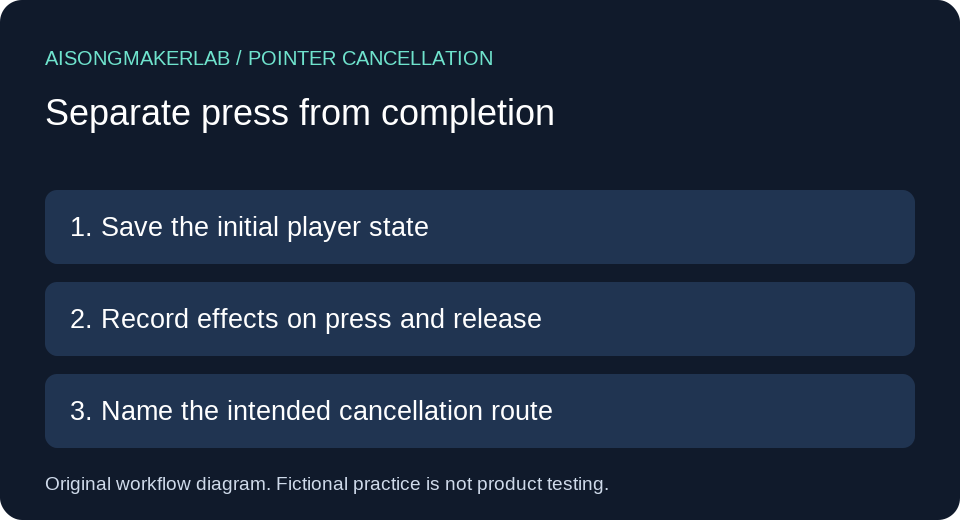
Save the page URL, player revision, input device, control name, starting state, proposed cancellation route and expected final state. Keep observed results empty until someone performs the sequence. A diagram describes the intended interaction; it cannot establish that a deployed player implements it.
The W3C pointer-cancellation explanation identifies four alternative routes: no execution on the down-event; completion on release with abort or undo; reversal on release; or an essential down-event. These routes have conditions, so an undo button by itself is not proof that an action executed on press meets the abort-or-undo route. This article is a practical review aid, not a conformance certification.
A practical comparison sequence
- Inventory state-changing controls: play, seek, volume, playlist changes and removal actions.
- Write the starting state and intended result before touching the control.
- Separate press, movement and release in the review record. Note when the function actually executes.
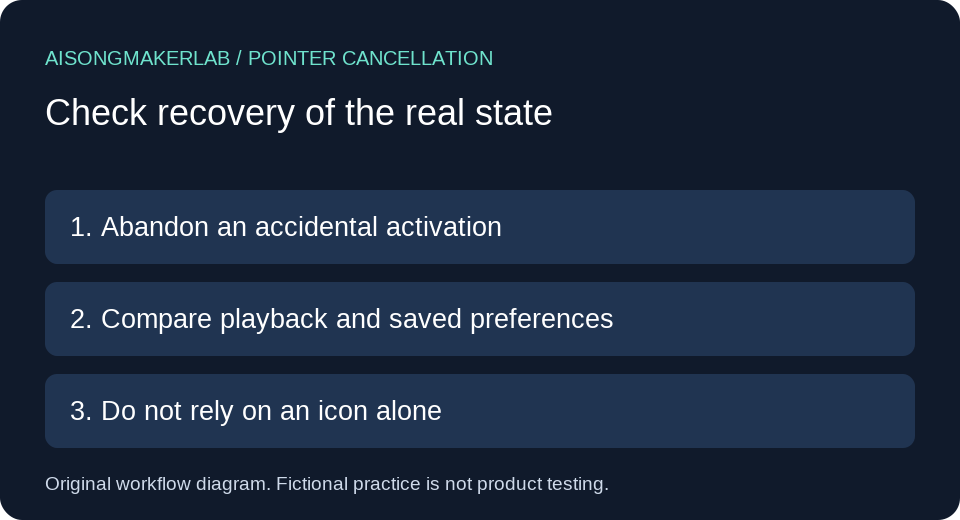
- Try the proposed abort or recovery route on each supported pointer type. Record what happened, including retained side effects.
- Retest the ordinary intentional action after any change. Leave unperformed sequences pending.
Keep pointer cancellation separate from alternatives to dragging. One asks whether an accidental operation can be prevented or recovered; the other asks whether a dragging operation has a practical single-pointer alternative. Both questions can apply to the same timeline.
Five self-authored fictional cases
All five cases below are self-authored fictional design exercises. Names, player behavior and proposed outcomes are invented to make the review concrete. They are not generated vendor results, real user quotations or completed tests. Each proposed check remains pending until performed on an actual player.
1. Press, move away and release on a play control
In the fictional Harbor player, Mira is reading the second verse while playback is paused. Her pointer lands on Play, but she decides to keep reading before releasing. The design brief proposes that pressing should only show a pressed appearance; playback should begin after a deliberate release within the activating area. Moving away and releasing should leave the song paused at the same position.
The review card starts with paused playback and a saved playhead position. It then separates three steps: press Play, move outside its active region, release. The proposed final state is still paused, with no unexpected jump and no hidden audio. A second sequence presses and releases normally to confirm that intentional playback remains possible. A third repeats the abandonment with touch, recording any difference instead of assuming mouse behavior transfers.
If the real player starts audio at press time, the reviewer records that observation and revisits the selected route. Merely changing the button color back would not restore the intended starting state. No behavior in this fictional brief is a measured product result.
2. Remove a playlist item with a meaningful undo
In the fictional Orchard queue, Leon intends to remove an obsolete lyric draft but points at the approved version. The proposed control completes removal on release and offers an Undo action afterward. The design record names the object being removed by a stable revision identifier, because two entries can share the same song title.
The recovery exercise begins with a three-item queue and its current selection written down. After the mistaken removal, Undo should restore the same item in its former position with the intended selection state. Restoring an item with the right title but the wrong audio revision would fail this proposed outcome. The reviewer should also record whether playback was interrupted and whether recovery restores the expected listening context.
This exercise does not claim that every temporary notification is sufficient. The location and operability of Undo need their own checks. Nor does this fictional design excuse execution on press merely because Undo exists: the proposed route explicitly completes on release. Actual timing, recovery behavior and availability remain pending until observed.
3. A temporary volume preview that reverses on release
In the fictional Lantern player, Jo holds a preview control to hear a quieter mix while checking a dense caption. This is a temporary comparison, not a persistent volume adjustment. The design proposes that press starts the preview and release restores the saved listening level. A persistent volume control sits separately and has a different label.
The worksheet records the original level symbolically as level A; it does not invent a measured loudness value. During the hold, the proposed state is preview level B. After release, the expected state is level A again. The reviewer checks both the displayed setting and the audible outcome, and notes if the preview accidentally changes a stored preference for the next song.
The important design question is whether release actually reverses the outcome of press. An icon returning to its original appearance while audio stays quieter would not establish that. Releasing outside the control and interrupting the interaction deserve separate observations. These are authored review scenarios, not a claim that any named music generator provides this feature.
4. Abandon an accidental seek before committing it
In the fictional Meadow player, Ari touches the timeline while trying to scroll through a lyric transcript. The design brief separates a tentative destination from a committed seek. A proposed preview marker can move during the gesture, while the actual playhead stays at its starting position until the operation completes. An explicit cancellation route should discard the tentative destination.
The reviewer records the original playhead, playback state and selected caption before beginning. The pending exercise moves the tentative marker, invokes cancellation, and compares the final state with those saved values. A second exercise intentionally completes a seek to confirm that the resulting audio and highlighted lyric agree. The record distinguishes the preview marker from actual playback so a moving decoration cannot be mistaken for a successful operation.
If the deployed player seeks continuously during the gesture, this particular proposed design is not an accurate description of it. The reviewer must document the real execution and recovery route instead. The exercise also leaves the non-dragging alternative as a separate question; a cancellable gesture does not by itself answer that requirement.
5. Challenge an unsupported essential down-event claim
In the fictional Ember review, a developer describes instant press activation as essential for a button that opens a lyric details panel. The reviewer does not accept the word essential as evidence. The design record asks what purpose would fail if activation waited for release, and whether an alternative design could retain that purpose.
The proposed investigation compares the task rather than speculating about performance. Opening a details panel is documented separately from a musical instrument interface where timing may be central to the activity. The worksheet records the specific function, the claimed reason, available design alternatives and the evidence still needed. It avoids treating every control in a music application as an instrument key.
Until the rationale is established, the fictional team plans release-based activation for the details panel and leaves the exception decision unresolved. This is a conservative design proposal, not a finding that a particular product violates a standard. The authored case illustrates why a category label such as music software cannot substitute for examining the actual operation and its purpose.
Keep the comparison reviewable
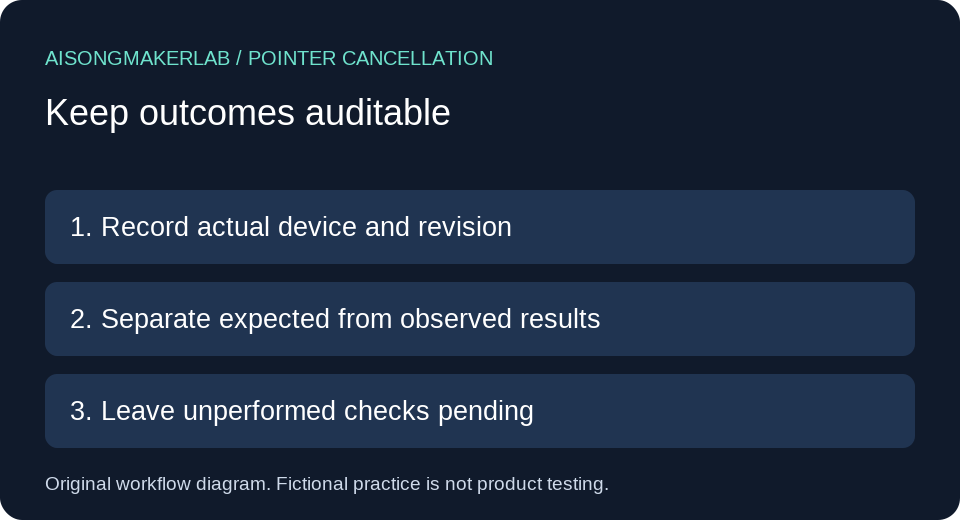
Use one row per control and interaction sequence. Record the proposed route, press effect, release effect, cancellation action, expected final state and observed final state. Include device and player revision so a later reviewer can repeat the same conditions. Mark skipped checks as pending; never transform an expected result into a pass.
For a change request, attach the smallest reproducible sequence and the state difference that matters: playback began unexpectedly, the wrong revision returned, or a volume preference remained changed. This gives the implementer a concrete outcome to fix without inventing a severity score or claiming a full accessibility audit.
Frequently asked questions
Does a larger Play button solve accidental activation?
It may help targeting, but size does not establish what happens during press and release. Review geometry and cancellation as separate tasks.
Is adding Undo enough?
Not by itself. Identify when execution completes and which route you are evaluating. In the abort-or-undo route described by W3C, completion is on the up-event.
Can I use a keyboard check as pointer evidence?
No. Save keyboard observations separately and exercise the actual pointer interaction. A working shortcut does not demonstrate a cancellation outcome for touch or mouse.
Are these five cases vendor test results?
No. They are self-authored fictional exercises with proposed outcomes. The downloadable record is blank so actual observations can be added without confusing them with the examples.
What should stay in the handoff when testing is unfinished?
Keep the sequence, starting state, expected outcome and missing observation. Name the pending check explicitly and avoid recording a pass based on the design alone.
Sources and boundaries
Read on November 17, 2026: W3C Pointer Cancellation and W3C accessible media players. These provide source context; the five fictional cases and worksheet are our authored contribution. No search-volume, difficulty, bid, authentic user quotation or vendor performance claim is supplied.
Download the five fictional cases · Download a blank review CSV