Identify Caption Timing Input Errors Before Export
Give each detected caption input error a cue identifier, a field name and a text explanation before export. Preserve the entered value, distinguish a rejected value from an automatic adjustment, and inspect the exported cue after correction. A time that passes validation still needs a listening check against the song.
When choosing the best AI music generator for a lyric-video workflow, include the handoff into your caption editor. This guide supplies an original review method for that handoff. It does not rank generators or report testing of their editors.
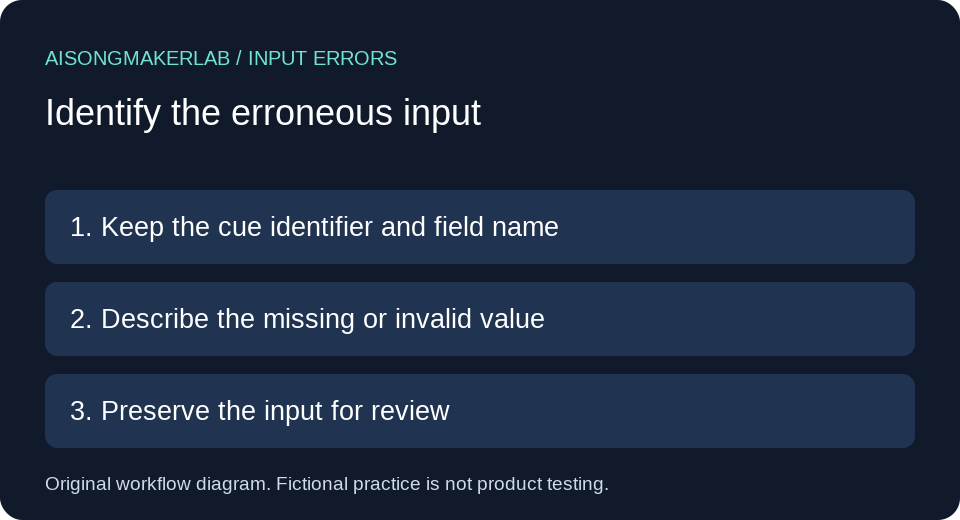
Start with a small handoff record
Keep the song revision, caption revision and stable cue identifier together. Row numbers can change when cues are inserted. Record the input exactly as entered, the rule that rejected it, the visible error text and the stored value. An empty result column means the check has not been performed.
What the source establishes
W3C's Error Identification explanation says automatically detected input errors need identification of the affected item and a text description. It includes missing required information and values outside the accepted format or range. It also addresses automatic changes to out-of-range values. This guide applies those principles to a proposed caption-editor review; it is not an accessibility certification.
A practical comparison sequence
- Make a disposable copy of the caption project and record its revision.
- Establish the editor's actual accepted format and project rules. Do not assume every editor accepts the same timestamp syntax.
- Enter one deliberate invalid value in a known cue and activate the documented validation step.
- Record the exact message, affected field and whether the original value remains available.
- Correct the value deliberately, then compare the saved and exported cue. Listen separately to assess synchronization.
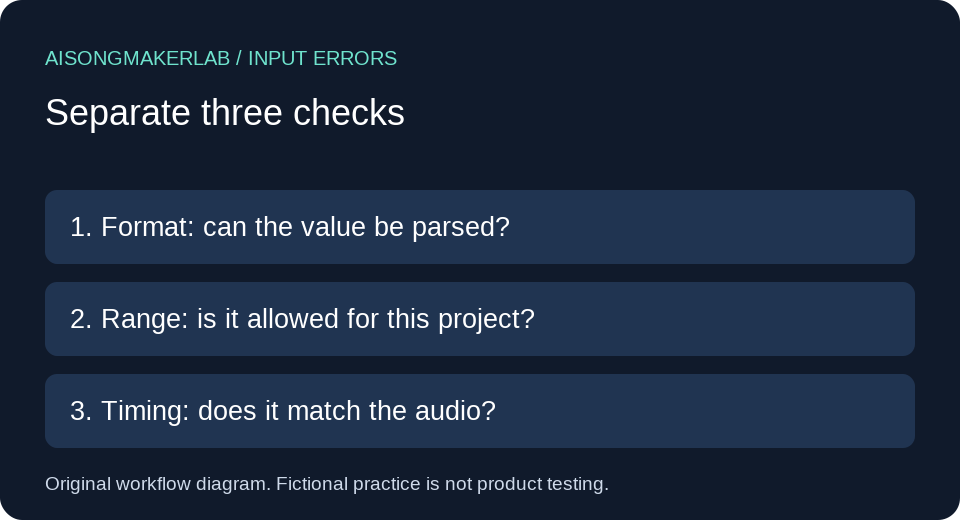
Five self-authored fictional cases
These five cases are original fictional design exercises. All cue names, values, rules and message drafts below are invented for explanation. They are not generated vendor results, observed product behavior or authentic user quotations. Proposed checks remain unperformed unless a reviewer supplies actual evidence.
1. Missing start time in a retained lyric cue
Fictional setup: an editor keeps cue CHORUS-B, containing the authored line “Carry the morning home,” but its start field is empty. The exercise assumes start time is required and that validation occurs when the user attempts to export. A generic export failure would leave the editor searching across otherwise complete rows.
Original message draft: “CHORUS-B: Start time is missing.” Put that explanation beside the affected field and include the same stable cue identifier in any error summary. Keep the lyric text and end time intact. An empty start should not silently become zero merely because zero can be stored as a number; that substitution would introduce an editorial choice the user never made.
Review record: leave entered_value empty, record the required-field rule, and copy the actual message only after performing a check. Inspect whether another cue's start is accidentally highlighted when rows have moved. After the user supplies an intended start, compare the exported identifier and value with the corrected row. The fictional decision is to block this incomplete cue in the exercise, not a claim about any product's export policy.
2. Timestamp syntax that the editor does not accept
Fictional setup: cue VERSE-C receives “one minute twelve” in a field whose documented project convention is HH:MM:SS.mmm. That convention belongs to this example; it is not a universal rule for caption interfaces. The error is a format mismatch, not evidence that the words would appear at the wrong musical moment.
Original message draft: “VERSE-C: Start time is not in this editor's accepted timestamp format.” Retain the typed phrase so the user can recognize the input being rejected. Keep explanatory text close to the field rather than replacing the phrase with an unexplained blank. A format example can provide additional help, but the identification task is already specific about the field and the nature of the error.
Review record: save the documented convention alongside the raw input and validation trigger. Do not record an invented parser response as an observed result. In a real check, compare what the interface displays with what it stores after the user leaves the field. If it accepts a different syntax legitimately, revise the test input instead of declaring a failure based on this fictional convention.
3. An end time earlier than the start
Fictional setup: cue BRIDGE-A starts at 00:42.000 and ends at 00:40.000. The example project requires the end to follow the start. Both strings fit its accepted format, so a format-only validator would miss the relationship. The mistake could be in either value; the interface cannot infer the intended performance from their order.
Original message draft: “BRIDGE-A: End time is earlier than start time.” Identify the end field and show the paired start as context. Avoid rewriting the lyric or automatically swapping the two numbers. Swapping creates a plausible interval but does not establish which syllable the author meant to cover. Keep the conflict visible until the editor chooses a correction.
Review record: retain both input values and the cross-field rule. During an actual check, note whether the message stays associated with BRIDGE-A after another row is selected. Once corrected, examine the exported start and end together, then listen to the bridge. A successful validation check means only that the stated relationship holds; it does not prove that the caption follows the singing.
4. A cue outside this project's allowed range
Fictional setup: a project copy uses a 90-second preview and disallows cue starts after its end. Cue OUTRO-D has start 00:95.000. This example treats that input as seconds notation accepted by its hypothetical editor. Another tool may reject the syntax first or allow cues beyond the media duration; establish its rules before judging behavior.
Original message draft: “OUTRO-D: Start time is beyond this project's 90-second preview.” The explanation identifies the relevant project boundary. It does not suggest that every caption format has a 90-second limit. Keep the preview revision beside the error record because the full song could be longer than the current review copy.
Review record: preserve the media duration source, the accepted input convention and the raw value. Check whether the wrong preview file caused the discrepancy before changing the lyric timing. The proposed next step is to reconcile the project revision and cue intention. If the media is replaced, rerun validation against the new range. Never turn a rejection in a short preview into a general claim about the generator's maximum song length.
5. A value adjusted automatically without explanation
Fictional setup: cue INTRO-A receives a start of -00:01.000. The example editor clamps it to 00:00.000 when the field loses focus. The stored result is within the fictional project's range, but the interface has changed the author's input. Merely showing a valid-looking zero conceals the event that needs review.
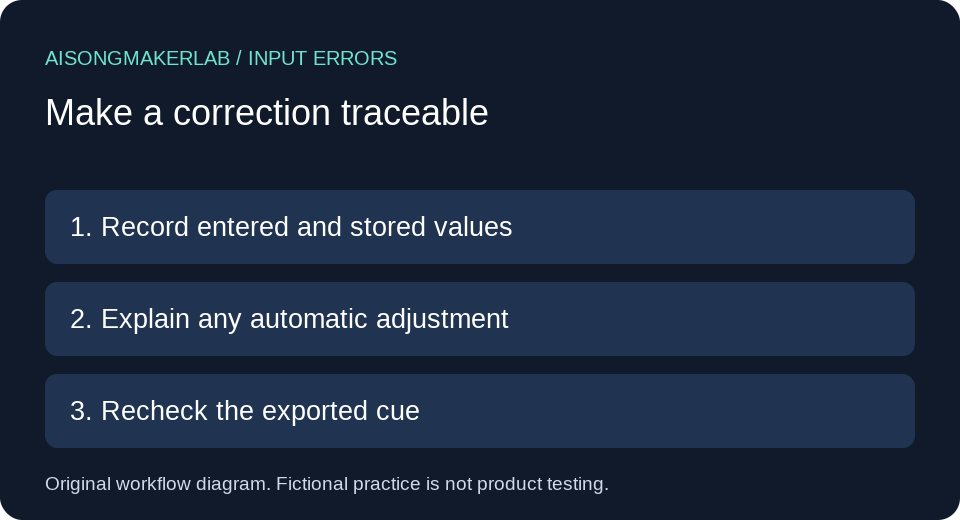
Original message draft: “INTRO-A: Negative start time was changed to 00:00.000.” Keep a reviewable record of the entered and stored values. The goal is to make the adjustment understandable, not to imply that this automatic policy is appropriate for every workflow. A deliberate correction may instead require returning to the audio and choosing another onset.
Review record: capture the field before and after validation, then compare the exported cue. If the interface reformats an equivalent value without detecting an error, record that separately from this clamping example. In a real evaluation, leave the behavior unknown until observed. The fictional decision is to explain the changed value and require an editorial recheck; a technically valid export alone cannot show that an opening word has been preserved.
Keep the comparison reviewable
Use one CSV row per cue, field and validation trigger. Store actual messages separately from the message drafts in this guide. Keep entered, saved and exported values in separate columns so an automatic adjustment is visible. Record unknown behavior as pending. The downloadable case file preserves these fictional examples; it contains no vendor score or fabricated experiment.
For related work, use the caption timing review to listen after correction and the export/reimport check to inspect a file handoff.
Frequently asked questions
Is a red outline enough to explain the error?
No. For automatically detected input errors, the W3C guidance calls for identifying the item and explaining the error in text. An outline can supplement the message.
Does every editor need these exact timestamp rules?
No. The example formats, ranges and export policy are fictional. Establish the actual editor and project rules before making a comparison.
Does a valid timestamp prove correct lyric timing?
No. Parsing and range checks cannot establish the intended sung onset. Listen to the matching song revision after correcting input.
What if the editor fixes the value automatically?
W3C includes automatic correction of out-of-range input in its error explanation. In this workflow, record both values and inspect the resulting cue.
Can these cases be used as product test results?
No. They are self-authored fictional exercises. Replace the empty result fields with evidence from a real check before making any product claim.
Source and limits
Primary source read November 20, 2026: W3C Understanding Error Identification. The original contribution is the five-case review method, example messages, record structure and workflow diagrams. No official Google keyword measurements, authentic user quotations or vendor tests are available for this article.
Download the five fictional cases · Download a blank review CSV